Shopping for a new outfit? See an AI preview on your own photo before you order. Combine clothes from different online stores in one virtual fitting room, with five free AI try-ons per month on a free account.
Online outfit shopping, with the whole look in view
Start with a piece you are thinking of buying, then build an outfit around it. For work, compare a shirt and trousers with different jackets. For a casual weekend, try a top, jeans, and trainers together. For an occasion, preview a dress with shoes and a bag. Combine up to eight items from different shops and compare your options in separate try-ons before deciding what to order.
Bring clothes from an online store
The ViewMyFit browser widget helps collect a product’s image, name, price, and shopping link while you browse. Send your selection back to your fitting room to try the pieces together. Some stores restrict product access, so check imported details and use a clear product image when automatic capture is unavailable.
Save looks and return to the original products
Keep the generated outfits you like in your account, alongside the selected clothes and shopping links. The Free plan saves up to five fits. When you are ready to buy, return to the retailer to confirm current price, availability, sizing, and delivery. ViewMyFit creates previews; the purchase takes place with the shop.
Three outfit ideas to compare on your own photo
Use these combinations as a starting point with clothes you find in the collection or import from a shop. Keep the same photo and change one piece between previews so you can judge the difference more easily.
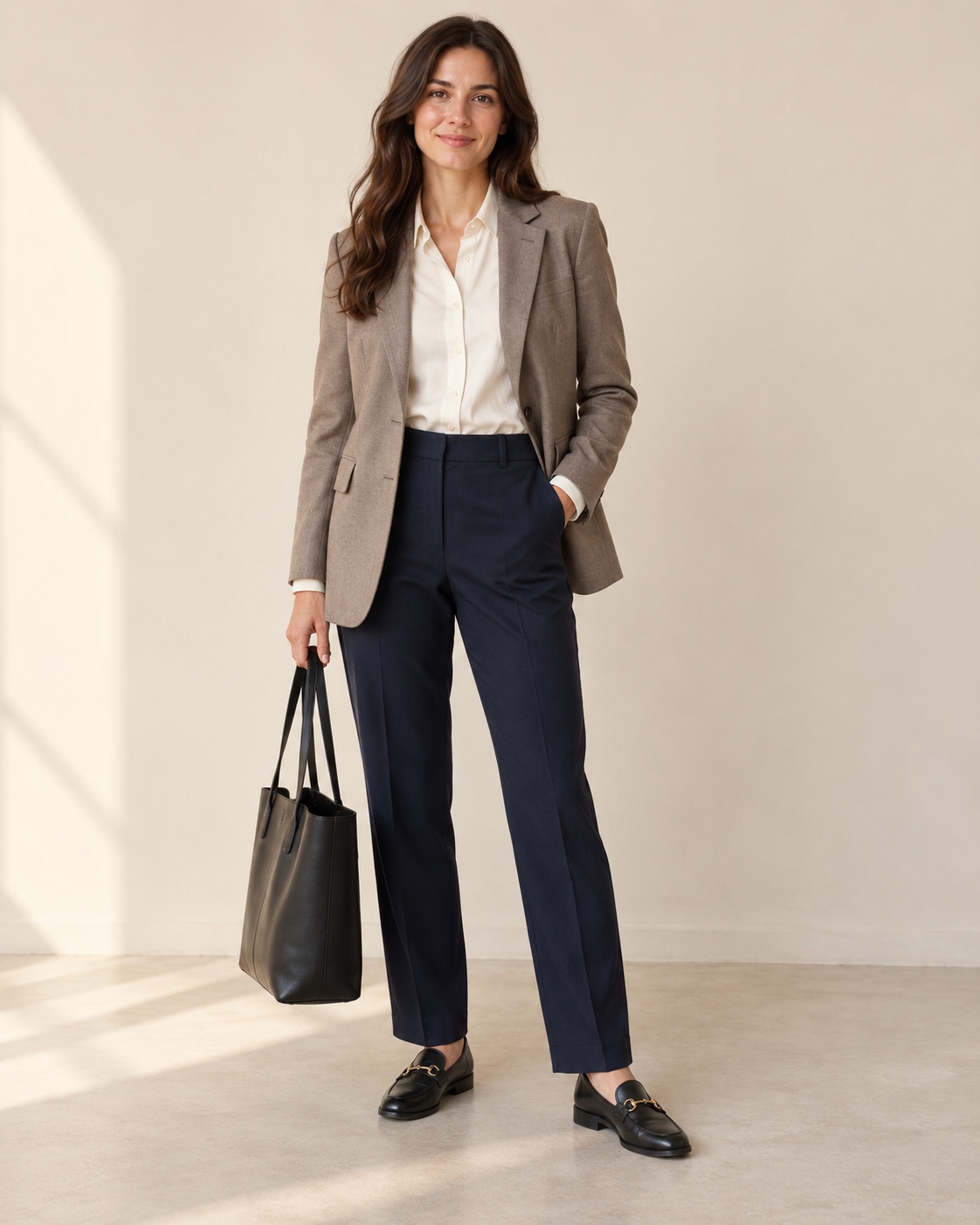
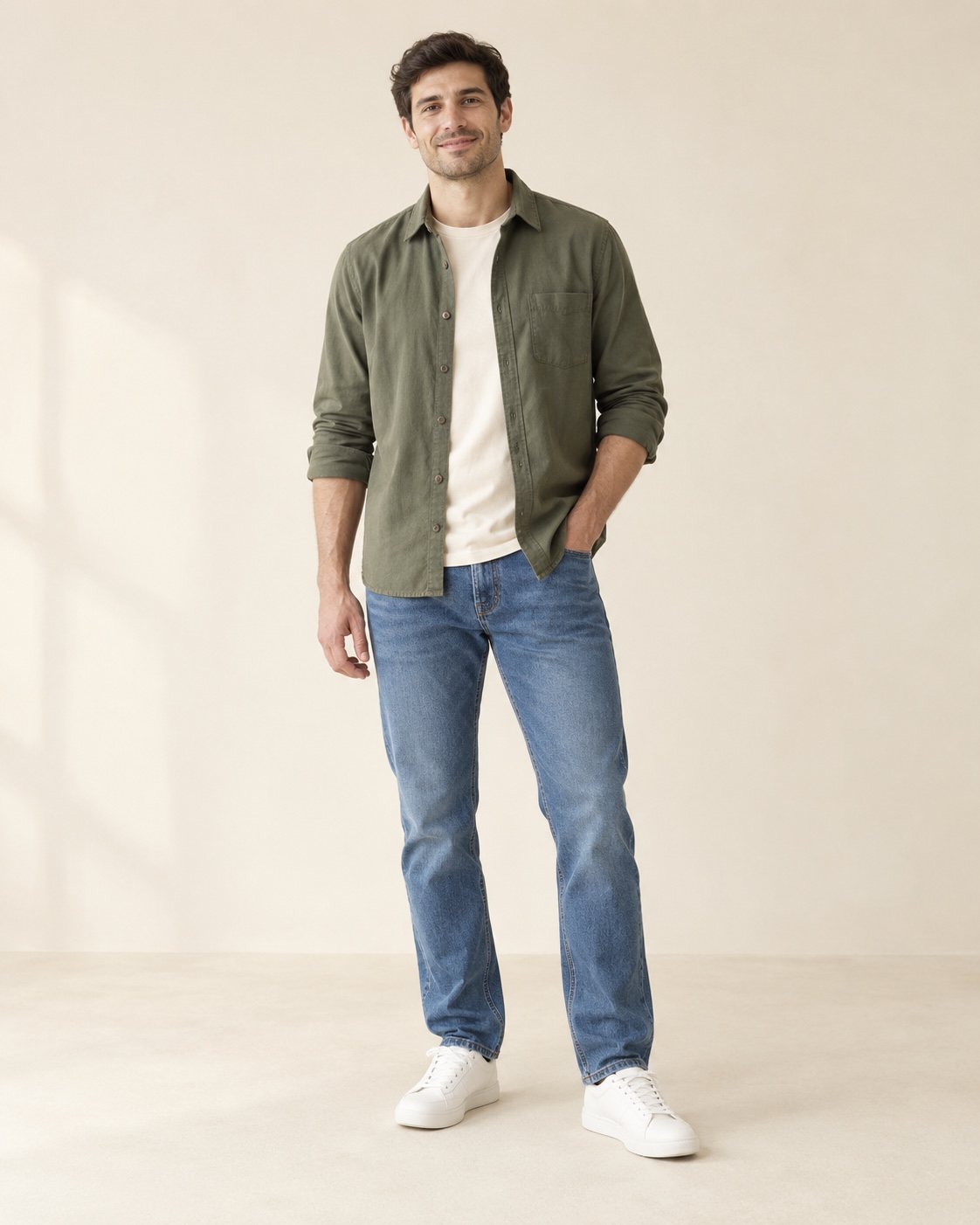
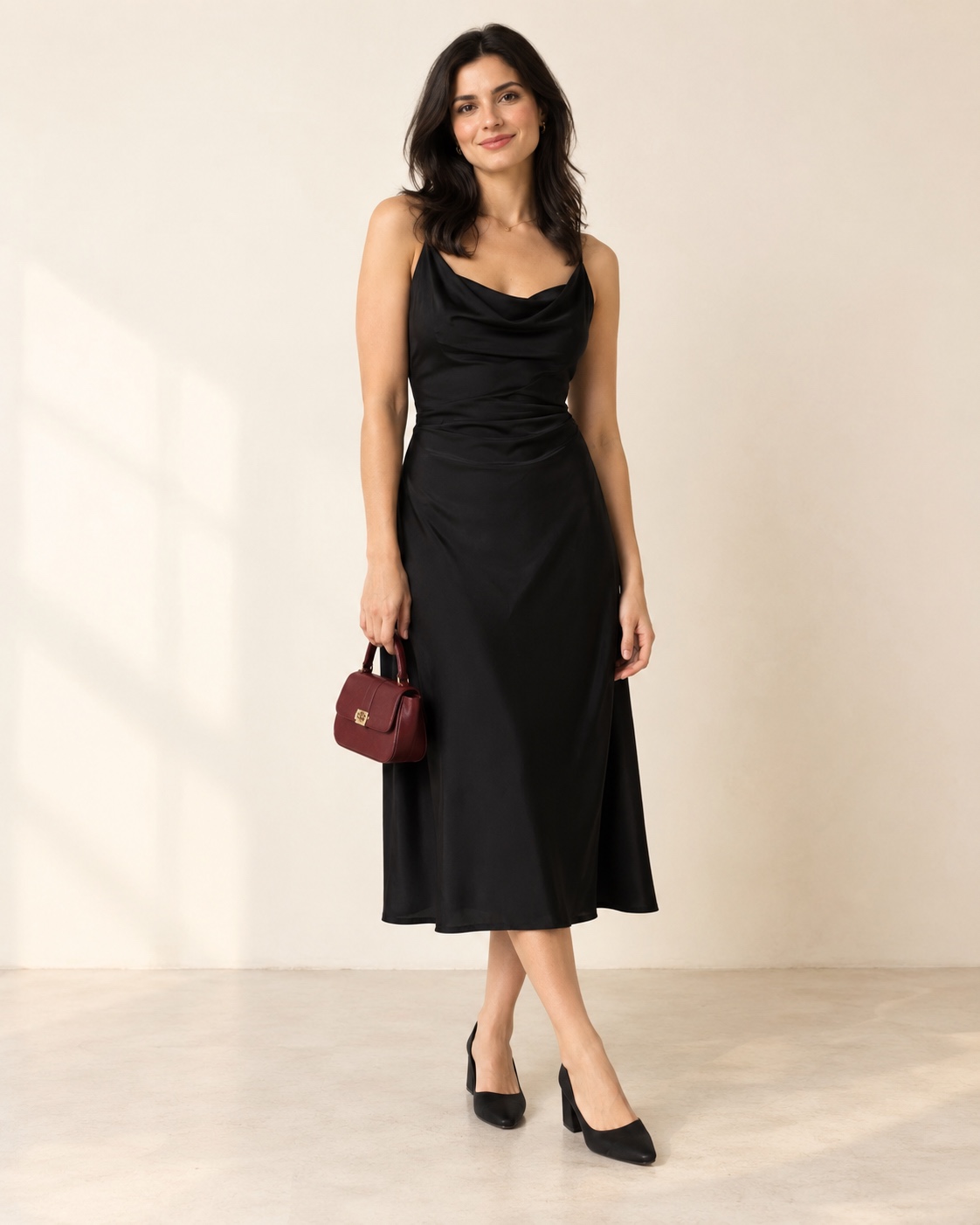
AI-generated illustrations for outfit inspiration, not actual customer try-on results or product photographs.
A work outfit with a softer finish
A light shirt or plain top
Straight-leg tailored trousers
A blazer
Loafers and a tote
Start with a neutral base, such as a cream top and navy trousers. Compare the blazer with a cardigan while keeping the other pieces unchanged. Look at whether you prefer the more structured or relaxed combination.
Before you buy
Check the retailer’s shoulder measurements, trouser inseam and fabric composition. An AI preview cannot tell you whether a waistband will feel comfortable.
A weekend outfit built around jeans
Your chosen jeans
A plain T-shirt or knit
A light jacket
Trainers or ankle boots
Choose the jeans first, then compare a shorter jacket with a longer overshirt in separate previews. Keep the top and shoes the same. This helps you explore the overall proportions without changing the entire outfit.
Before you buy
Confirm the rise, inseam and stretch in the product details. The preview may alter denim texture or the apparent length of a garment.
An evening look with two shoe options
A dress, or a shirt and tailored trousers
A jacket if needed
One pair of shoes
A small bag
Build the base look, then compare flats with heels or trainers with smart shoes in a second try-on. Include only one shoe option per preview. Check how the colours work together before adding more accessories.
Before you buy
Use the retailer’s photos to check fabric sheen, opacity and small details. AI can simplify jewellery, straps and accessories; a preview is not proof of their exact appearance.
Turn an outfit preview into a considered purchase
Save the look you prefer with its product links, within your plan’s saved-fit allowance.
Open the original retailer’s page and confirm the exact colour and product variant.
Compare your measurements with that retailer’s size chart, not the AI image.
Check current price, stock, delivery charges and return conditions before ordering.
Yes. A private full-body photo creates the most personal virtual try-on.
Is ViewMyFit an online clothing store?
ViewMyFit is a virtual fitting room for shoppers, not the seller of the clothes. Explore items, preview an outfit, then follow the product links to buy from the original retailers.
How can I see what clothes might look like on me before buying?
Upload your own full-body photo, select the clothes you are considering, and generate an AI outfit preview. Use it to compare styles and combinations, then check the retailer’s size chart and product details before ordering. The preview does not guarantee fit.
What can I save?
You can save generated looks together with their clothing, prices, and shopping links.
Can I try on clothes on my phone?
Yes. ViewMyFit runs in a mobile browser as well as on desktop. You can upload your photo, select clothes, and view your generated outfit without installing an app.
Can I see the outfit from different angles?
The first Free try-on includes front, side, and back results. Later Free try-ons use a front view; paid plans include three views on AI-avatar try-ons.